Little Mermaid Set Design: How to Make an Iconic Show Feel Fresh (Without Fighting Your Director)
Little Mermaid Set Design Starts With Story, Not Spectacle
When a school announces The Little Mermaid, the audience shows up with a built-in movie playing in their heads. They remember the colors. The castle. The waves. The exact shade of “Disney sparkle.” And suddenly your production is competing with a billion-dollar visual memory.
That’s why designing The Little Mermaid can feel like walking a tightrope. Directors want “recognizable”. Audiences want “like the movie”. You want something original that supports the story, not a carbon copy.
Here’s the hill I will cheerfully die on: If the story is strong, spectacle is a bonus. If the story is weak, you’ll lean hard on spectacle to distract everyone.
So if you want a Little Mermaid set that lands, start with story clarity. Then build the visuals to serve it.
Read the Script Like a Designer, Not a Fan
Yes, you read the script. Then you read it again. Then you read it one more time, but this time you’re hunting.
In stage design, your job is to find the emotional spine. The core message the show is really about. How does it make you feel? My second read is for the “must-see” moments and the points that need visual support. Then a once through for the transitions that will make or break pacing, add impact, and help the flow.
If you’re a visual thinker, you might see movement and pictures immediately. If you’re not, you can still build a concept by circling repeated ideas: longing, risk, transformation, voice, belonging, power, choice.
That’s your design fuel.
Meet With the Director Before You “Solve” the Show
Before you lock in a look, sit down with the director and ask:
“What do you see when you close your eyes?”
“What do we need to be visually recognizable?”
“What are you open to reimagining?”
“What do we absolutely need to communicate clearly for the audience?”
If they say, “We want it close to the Disney version,” that’s not automatically bad news. It just means your Little Mermaid Set Design will live in the same neighborhood as Disney Renaissance animation, but it does not need to move into Disney’s exact house and wear its clothes.
Your bridge phrase:
“Let’s keep it recognizable, but not a carbon copy.”
That line keeps trust intact while opening the door for creativity. Lets be honest, most of us don’t have disney money, so creativity is key.
Choose a Visual Anchor That Isn’t “The Movie”
Here’s where your process matters to your motivation. Pick an art style, artist, or visual world that gives the design a backbone.
One smart approach for Little Mermaid is to start with artists contemporary to Hans Christian Andersen, or other visual movements that match the tone of the original tale. You might not end there, but it gives you a strong starting vocabulary.
Other anchor options are storybook etchings and shadow boxes that inspire you. Maritime maps and navigation charts from the 17 and 1800s often have fabulous illustrations. Underwater bioluminescence and silhouette images from nature journals are in themselves out of this world. Nature is often the best inspiration; coral architecture with strong negative space creates sets all on its own. Think like a five year old telling the story in the living room. A “found theater” approach that leans into imagination over realism
Anchors keep you from defaulting to blue lighting and a shell-shaped throne with the excuse that “that’s what people expect.”
Build Your Scene List, Then Pick the Pivotal Moment
Once you’ve got the concept, make your scene list and identify your have-tos.
In The Little Mermaid, the audience will expect certain story beats to read clearly. You don’t need expensive realism, but you do need clarity.
Then do what you do best: anchor the pivotal moment.
Ask:
“What moment carries the emotional punch of the show?”
“What moment needs the strongest visual support?”
Often it’s:
“Part of Your World”
the transformation
“Kiss the Girl”
Ursula’s power moment
the final choice
Design the pivotal moment first. Then work outward so everything feels like it belongs to the same world.
Let Your Space Tell the Truth (Sightlines Don’t Care About Your Concept)
This is the unglamorous part of set design, but it’s where school productions win or lose.
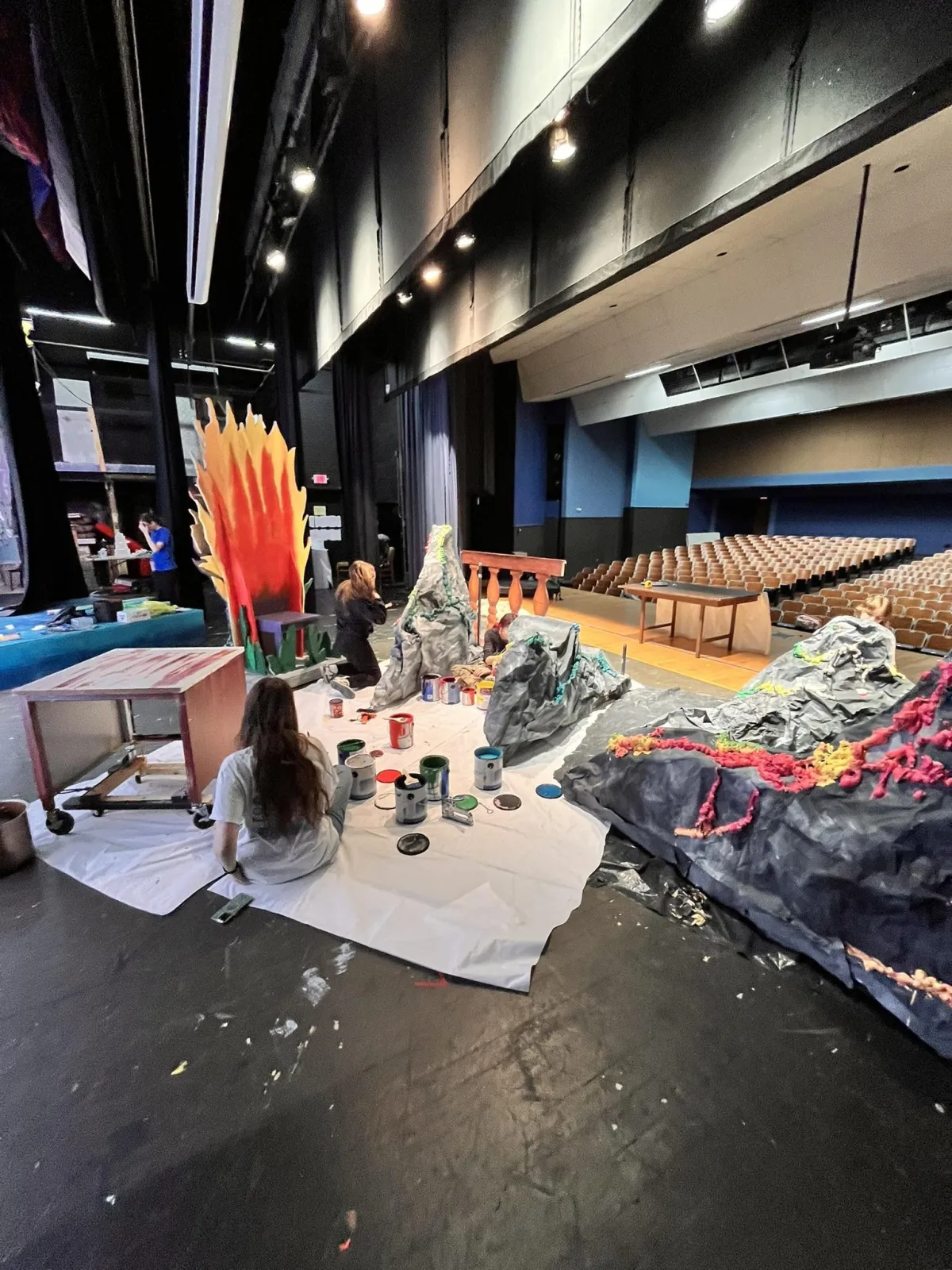
The stage I’m working on for this show is very deep, very high, and an auditorium that’s not very steep. The front rows are basically looking at a picture frame from below. If you put important action way upstage on the deck, a chunk of your audience will miss it due to unfortunate geometry.
While accurate models and drafting will get you a very solid picture of what your doing, nothing beats being in the space and paying attention to what your audience will see. So before you fall in love with an idea, do a sightline reality check:
Sit where your audience sits
Front row center
Front row far left and far right
A few rows back center
Then have a student stand upstage and do something simple: hold a prop at chest height, turn, sit, kneel. If you can’t see it clearly, find a new way to do it.
Identify “must-see” story zones
In The Little Mermaid, the audience needs to see faces and relationships clearly during pivotal scenes. These moments can’t live in the “only visible from back of the house” region of your stage.
Use height strategically, not randomly
Levels can do more than make life challenging for your lighting designer. They can change relationships on stage, help the audience understand powerful moments, and assist those sight line issues. But they need to be intentional.
Elevation solves three problems at once. Even a simple upstage platform system can let you stage “layers”. Downstage becomes intimacy, dialogue, key emotional beats Midstage makes interesting transitions, entrances, ensemble framing. Upstage on elevation reveals, royalty, “world” moments, chorus pictures.
Design for flow, not furniture
Deep stages tempt us into “filling the space.” But the goal isn’t to fill it. The goal is to move through it cleanly.
That’s where modular pieces shine. Rolling units can reconfigure quickly and platforms can double as rockwork, ship deck, palace levels. Scenic elements that suggest locations instead of recreating them will make your life, and your director’s life, easier.
You’re not building a movie set. You’re building a storytelling machine.
Make it a teaching moment
This is also a sneaky way to teach students design thinking:
“Where will the audience actually see this from?”
“What happens if we move this 6 feet down stage?”
“How does height change the power in the scene?”
That’s real theater education. Not decoration.
At the end of the day, designing The Little Mermaid is not a contest to see who can recreate a Disney frame the most accurately. It’s an opportunity to tell a story your students can actually own. Start with the script. Get aligned with your director. Choose a visual anchor that gives you a world without trapping you in a carbon copy. Then let your space tell the truth and build a design that serves what the audience needs to see and what your kids can realistically create. You can absolutely make it recognizable without making it someone else’s.
If you’re designing The Little Mermaid this season, try this: pick one pivotal moment and sketch three different ways to stage it using what you already have. Then choose the version that tells the story most clearly.
If you are working through an iconic title and you want help creating a version that feels theatrical, doable, and true to your students, I’m available as a scenic design and technical theater consultant. I love to turn big ideas into practical, story-driven design plans without getting trapped in “it has to look exactly like the movie.” Find me on Facebook in the Backstage AIC group, on the Backstage AIC webpage, or email me at [email protected].
